

Soft reserves
On every guild event, members reserve the items they want from that dungeon's or raid's loot, boss by boss. Officers set the rules, the list exports in one click, and the ForeverDB addon shows who reserved an item on its tooltip and when it drops.
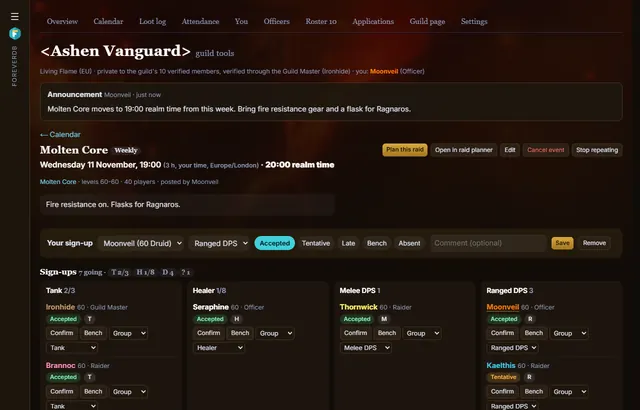
Reserving
- Members pick from the instance's loot tables, by boss, or search the game client's items when ForeverDB has no loot table yet.
- Reserves belong to the event, so every raid night has its own list.
The rules officers set
- How many reserves each member gets.
- Hard reserves the guild keeps for itself.
- When reserves lock, and whether they're hidden until then.
- +1s and an attendance bonus.
During the raid
- Export the list as text or CSV.
- The ForeverDB addon shows who reserved an item on its tooltip and when it drops.
- The loot log records who got each item and whether the reserve was honoured.
Questions
Is it only for raids?
No. Reserves work on any guild event for a dungeon or raid.
Can members see each other's reserves?
Officers choose whether reserves are hidden until they lock.
Get it for your guild
- Members install the ForeverDB addon and play. It reads the guild roster when you log in.
- They send it with the ForeverDB Uploader (automatic) or from the WoW folder. That's how ForeverDB knows who's in the guild.
- The Guild Master or an officer opens guild tools, then the Guild page tab: picks a banner, writes a few lines and claims the guild's address.