

Raid groups, buffs and assignments
On a raid night, officers sort the signed-up members into groups, check buffs and readiness, and hand out boss assignments, all from the event in guild tools.
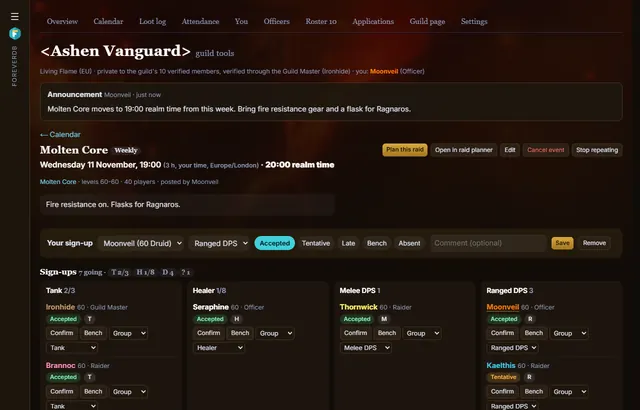
Groups
- Drag members into groups of 5, or pick and press Move here. Auto split sorts them by role and buffs.
- See which buffs, auras, totems and target debuffs each group and the whole raid have, from the WoW Forever client's spells and members' real talents.
Readiness
- A readiness board checks everyone against the raid's requirements: level, item level, empty slots, missing enchants, weak items, professions, reputations, Legacy and consumables.
- Officers see the reasons; members see only green, amber or red.
- Each member's own check lists the items they're missing and where they drop.
Assignments
Boss assignments copy out as an MRT-style note, a code for the ForeverDB addon, a print view or a picture for Discord. The signed-up group also opens in the raid planner for positions and a simulated pull.
Questions
Where does the buff data come from?
From the WoW Forever game client's spells and members' talents in their uploads, so it follows Forever's own changes.
Get it for your guild
- Members install the ForeverDB addon and play. It reads the guild roster when you log in.
- They send it with the ForeverDB Uploader (automatic) or from the WoW folder. That's how ForeverDB knows who's in the guild.
- The Guild Master or an officer opens guild tools, then the Guild page tab: picks a banner, writes a few lines and claims the guild's address.