

WoW Forever auction house, armory and guilds: everything new
· ForeverDB
Everything added from Blizzard's API on 23 and 24 November: prices on all 24 auction houses, a 3D armory, leaderboards, guild pages and a crafter finder.
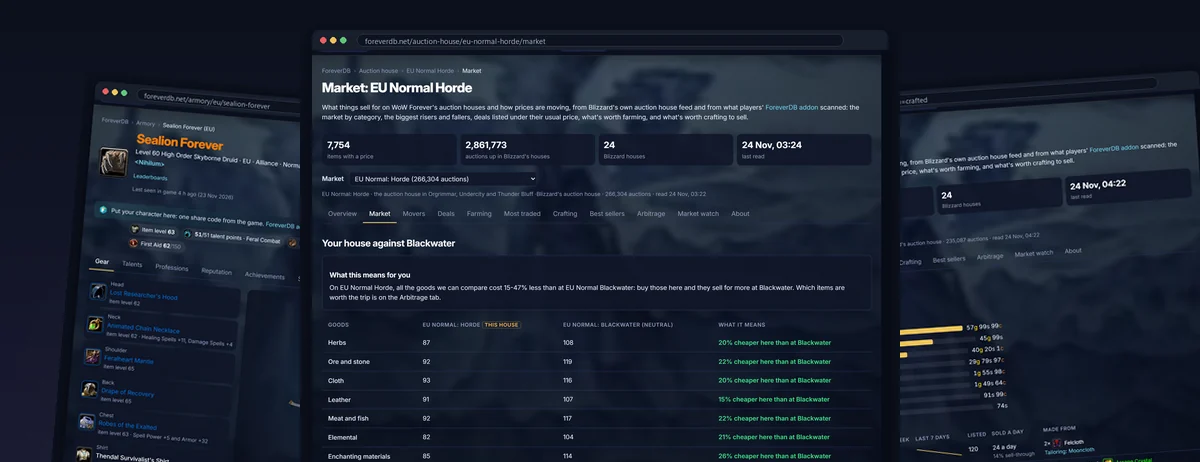
Blizzard's Battle.net API now covers WoW Forever, and ForeverDB has built on it over the last two days. This page lists everything that changed, with a screenshot of each part, and we keep it up to date as more arrives.
Start here
- Auction house prices for all 24 houses, hourly: Market, Arbitrage, Market watch, Farming
- Armory: search any character, see it in 3D
- Leaderboards: item level, honorable kills and level for US and EU
- Find a crafter and the rarest mounts
- Population from Blizzard's armory
- Your own wishlist, auctions and profit ledger
- Guild tools and a page for every guild
- Is that name taken?
Open the auction house Prices for all 24 houses, read straight from Blizzard every hour. Pick your region, your playstyle and your side. Auction house prices
The numbers fill in as ForeverDB reads more characters from Blizzard's armory, so some boards and counts are small today. Anything built from fewer than 30 characters is marked Not confirmed on its page. House names such as "EU Normal: Horde" are matched from realm names in players' scans; Normal and PvP are the pair most likely to be the wrong way round, and we recheck them as new scans arrive.
The auction house, from Blizzard's own feed
Until now our prices came from what players scanned with the addon. The auction house now reads Blizzard's feed, which lists every auction: about 3 million on the first read. WoW Forever has 24 houses. Each region (US and EU) has four playstyles, Normal, PvP, Roleplay and Roleplay PvP, and each playstyle has an Alliance, a Horde and a Blackwater house. One house serves all of its side's cities: Stormwind, Ironforge and Darnassus share the Alliance one, Orgrimmar, Undercity and Thunder Bluff the Horde one, and Booty Bay, Gadgetzan and Everlook the Blackwater one.
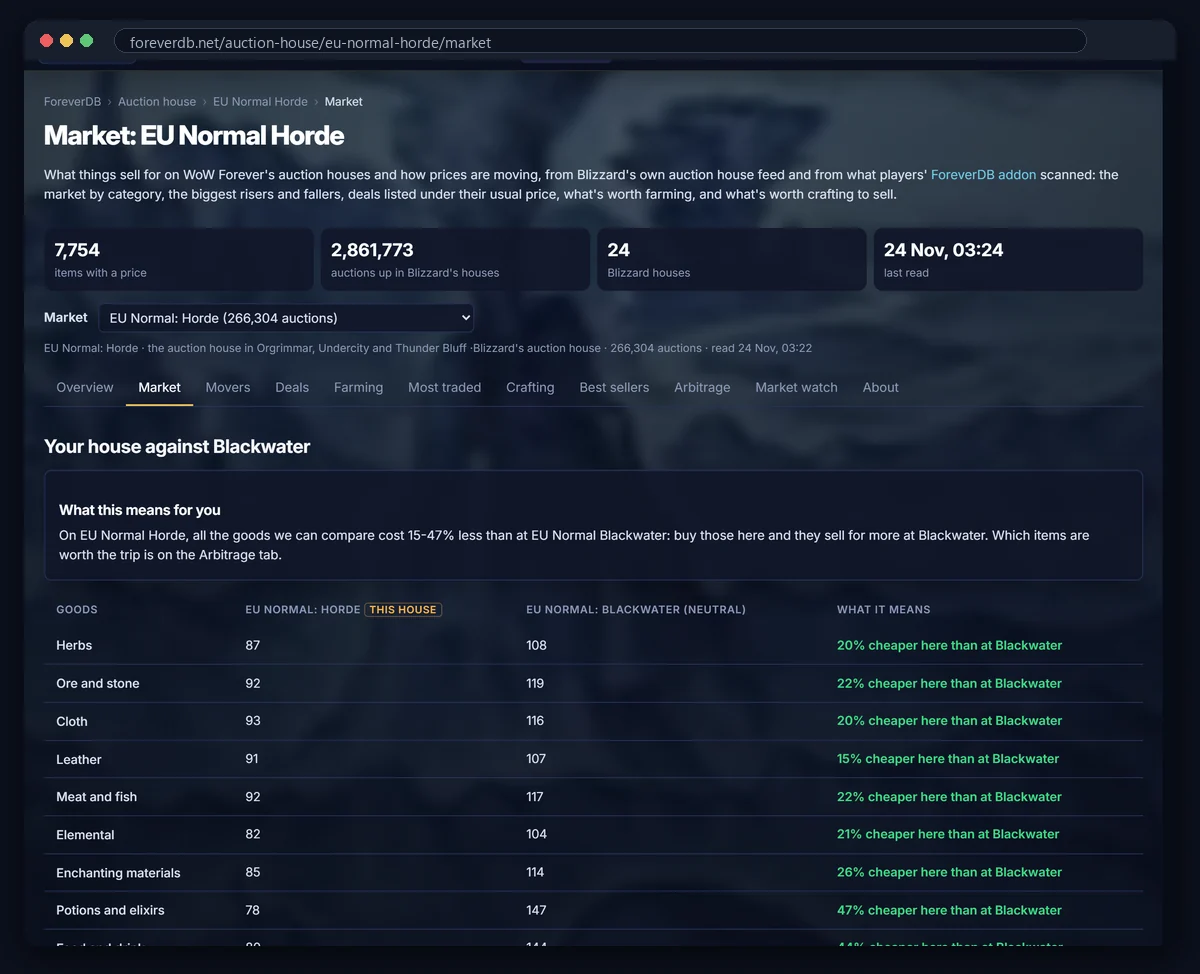
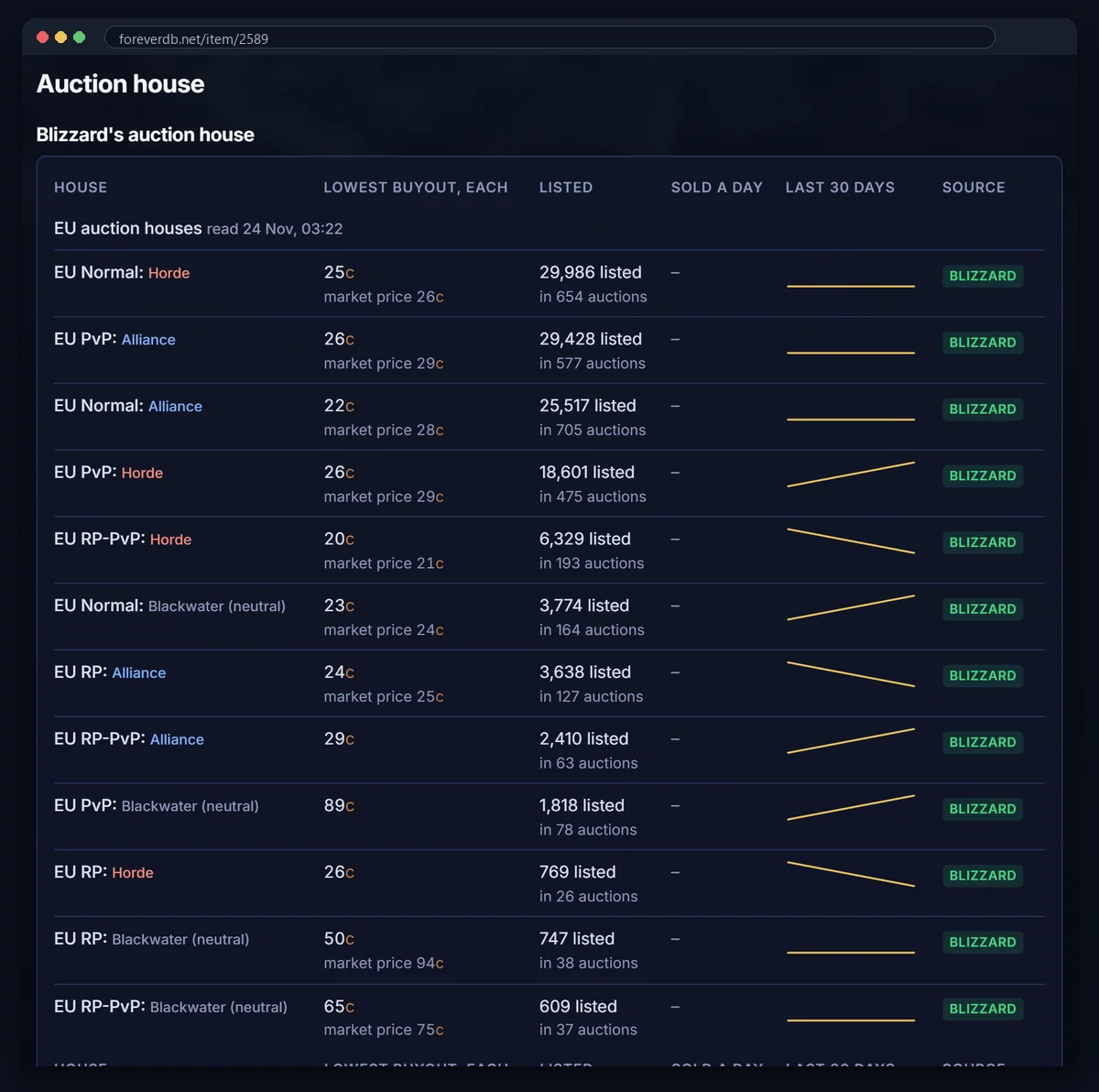
Every house has its own page and every tab has its own address, so you can bookmark exactly the market you trade on. The numbers refresh about every hour, when Blizzard publishes a new reading. Open an item and its Auction house block lists the price on every house, with the sales per day and a 30-day line.
| Tab | What it tells you |
|---|---|
| Overview | Price of an item on your house, the cheapest house for each category and the biggest movers. |
| Market | The houses compared right now, with graphs by day and by hour and how many auctions each has. |
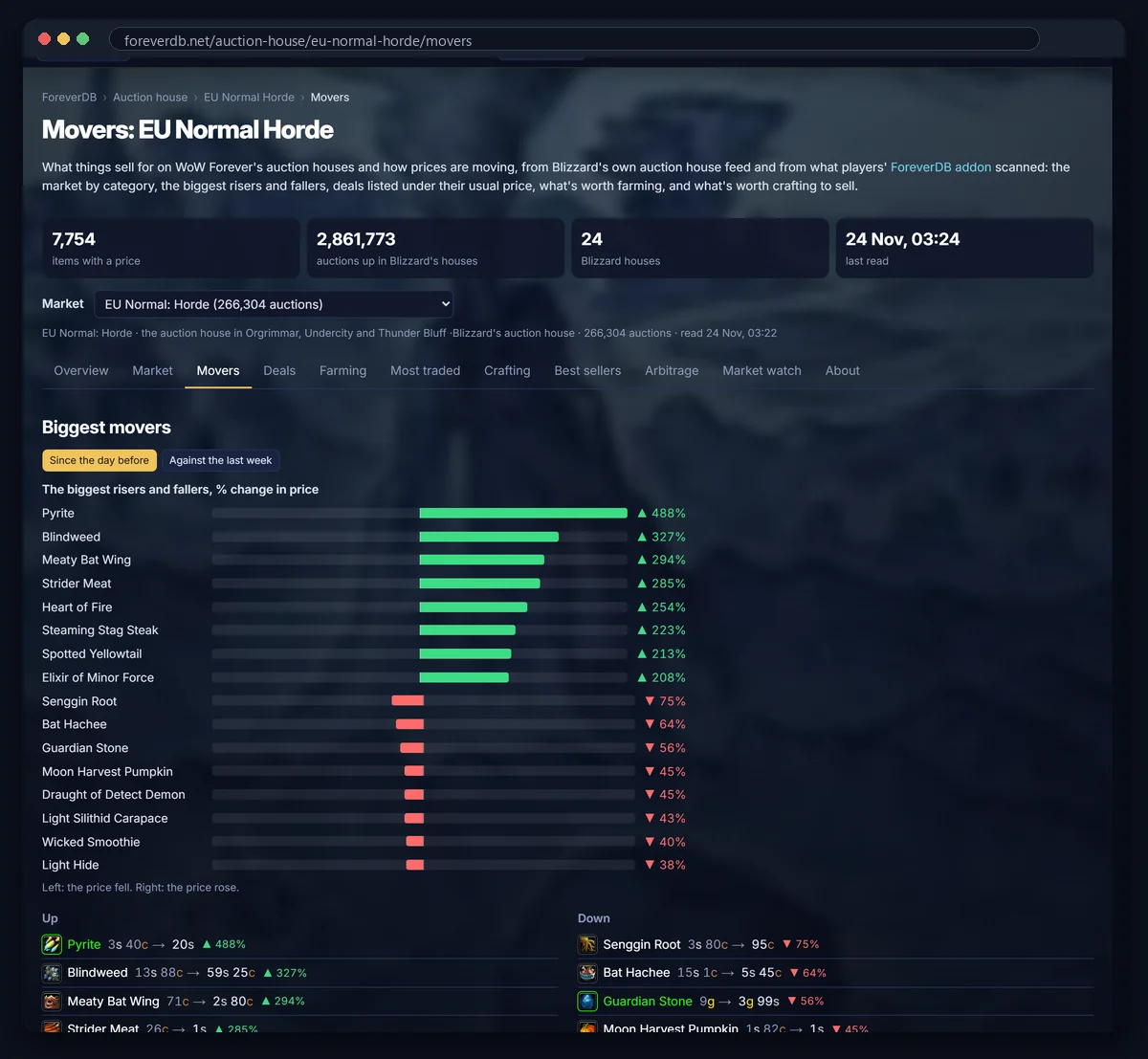
| Movers and Deals | What has gone up or down, and what is listed well below its usual price. |
| Best sellers and Most traded | How many of each item sell per day, and how much of what is listed actually sells. |
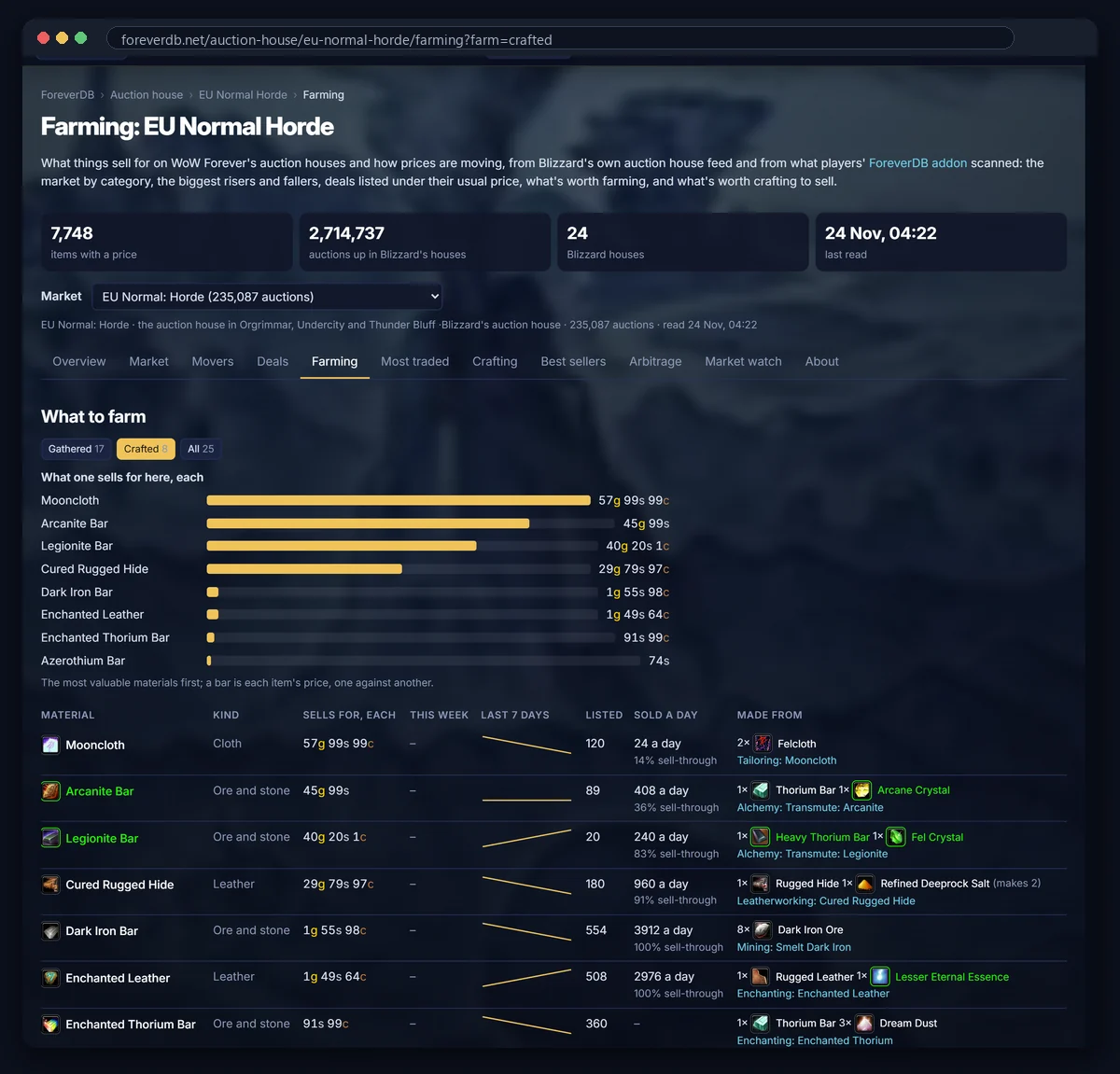
| Farming | The materials that earn the most. Filter by gathered or crafted, with the best places to find each one and, for bars, bolts and cured hides, what they are made from. |
| Crafting | Which crafts are worth selling. |
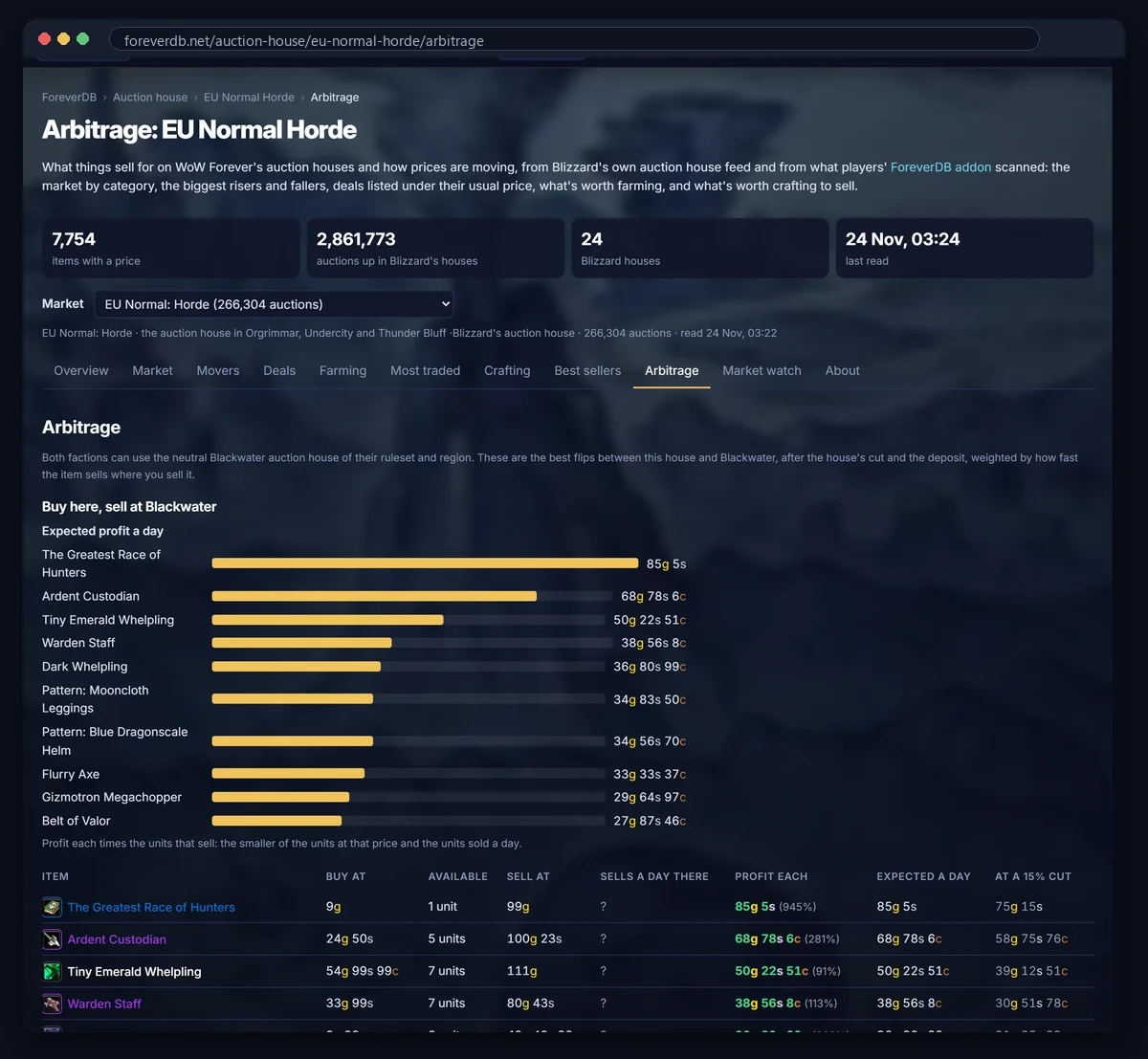
| Arbitrage | Buy on your side's house, sell at the neutral Blackwater one. |
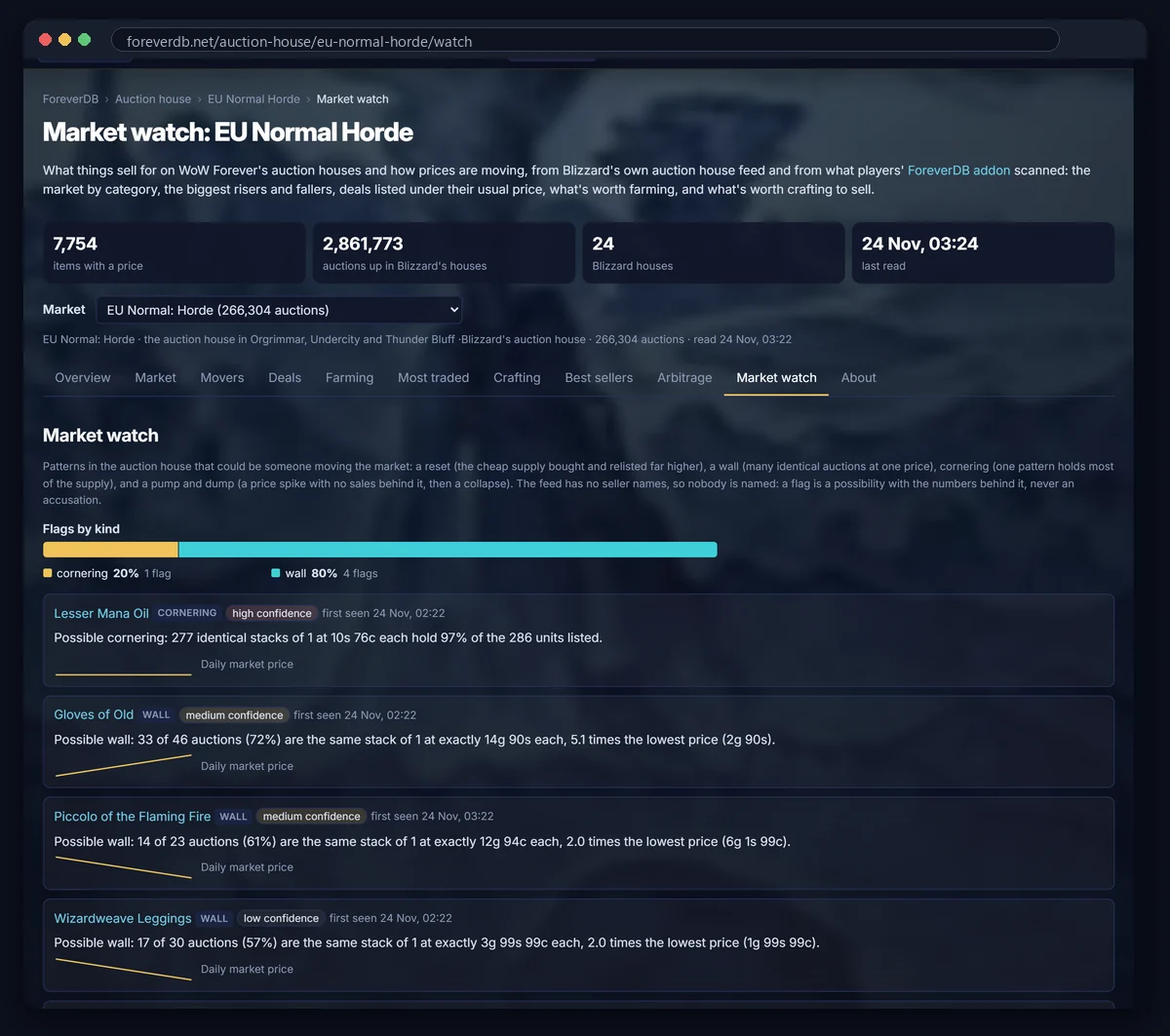
| Market watch | Possible price resets and walls. |
Movers, deals and farming
Selling and trading
- Sales per day. Blizzard's feed doesn't list sales, so we work them out from auctions that disappear between two hourly readings. That needs a couple of hours of readings before a house shows a number, and each site restart costs us one hour of sales. Treat the first day as a rough guide.
- Best sellers. The items that sell fastest, and the sell-through for each: the share of listings that actually go.
- Blackwater arbitrage. The neutral house is often 14 to 50 per cent dearer than your side's for the same item. The arbitrage tab lists those gaps after the cut and the deposit, weighted by how fast the item sells, so you see the ones that are worth the trip to the Blackwater auctioneer.
- Market watch. It flags possible price resets, walls (a large block of one item listed at a high price) and signs of cornering or a pump and dump. It only ever says "possible", with the evidence next to it. The feed doesn't name sellers, so there are no names and there never will be.
- Farming. Each material with its price and 7-day line, the best places to gather it and what the crafted ones are made from.
Your own wishlist, auctions and profit
Three tools on your profile are private to you.
- Wishlist with alerts. Add an item, a quantity and the most you will pay. ForeverDB shows the cheapest house, Blackwater included, the total cost, and alerts you when the price drops under your limit.
- Your auctions, tracked by the hour. Send your auctions once with the addon and Uploader, then ForeverDB follows them in Blizzard's feed without the game running: still up, undercut, sold or expired.
- Profit and loss. A ledger built from your auction house mail: what each sale made, the deposit and the cut.
You need the ForeverDB addon 0.76.0 and the ForeverDB Uploader 2.15.0 for the last two. 0.76.0 adds a Wishlist and ledger page and market prices in item tooltips, and the Uploader keeps your auctions, mail ledger and wishlist in step with your profile in both directions, so a wishlist item added on the site shows up in the game. The auction ID matching and the mail ledger are new and we haven't seen them confirmed in game yet, so check your first few auctions against what you posted. "Delete my market data" on your profile removes all of it.
Addon 0.76.1 also puts the prices for your own house in item tooltips: the lowest price, the market price and how many sell a day. In Discord, the bot's /price command gives an item's prices on every house of a region, cheapest first.
The armory finds any WoW Forever character
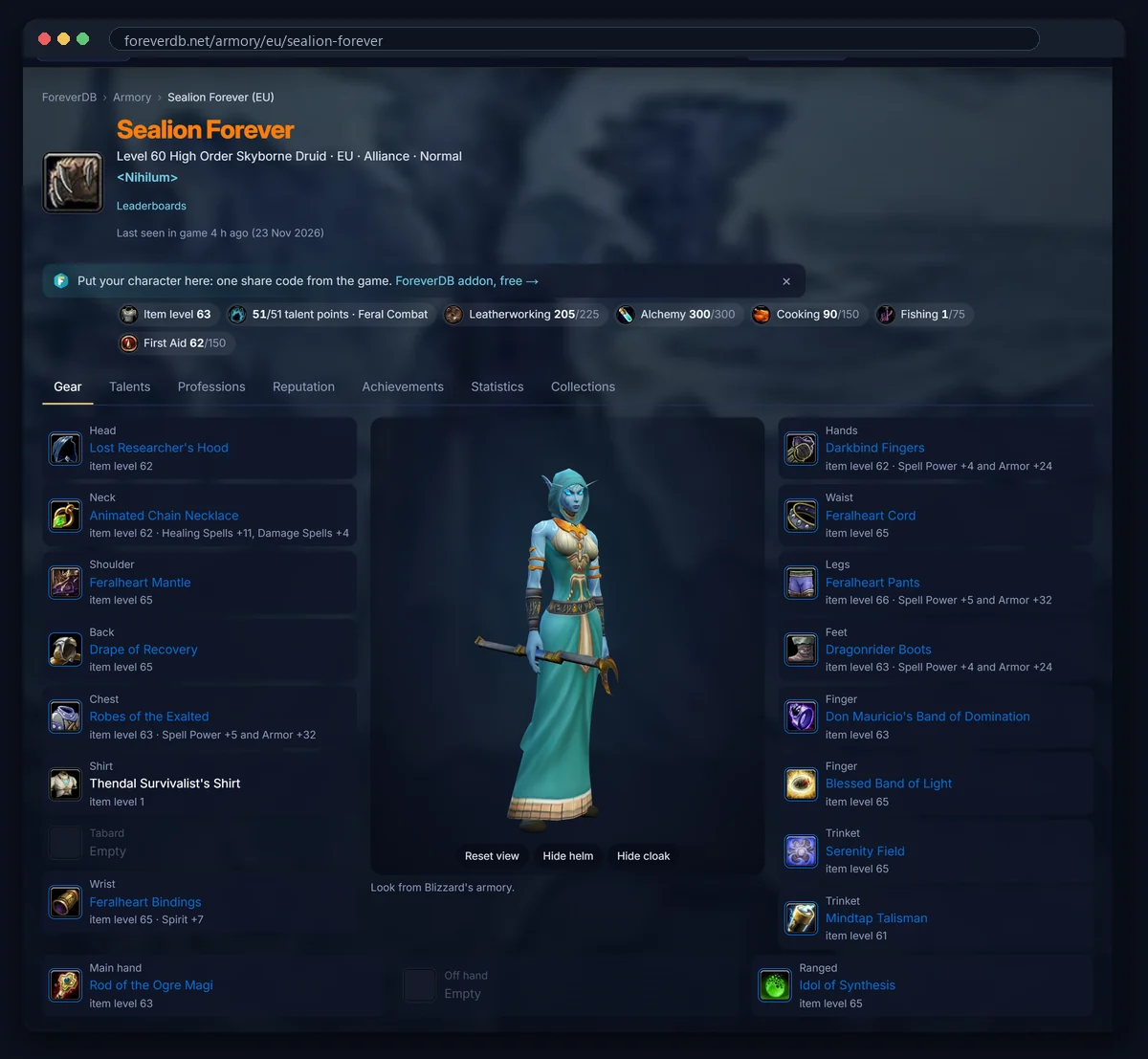
The armory is no longer limited to characters that someone uploaded. Search both names of any character, such as Ruly Stormeye, and pick US or EU. You get the gear, talents, stats, professions and reputations from Blizzard's own armory, and the character in 3D with its real look, down to the race, customisations and transmogrified gear. Tabs for Achievements, Statistics and Collections load when you open them; Collections adds a collection score and the rarest things the character owns. A page is read again every six hours, and a character you have hidden isn't shown.
Every character sent by the addon is now public by default, so they appear in the armory's search and on their guild's page. You can still make one private or hide it on your profile.
Leaderboards
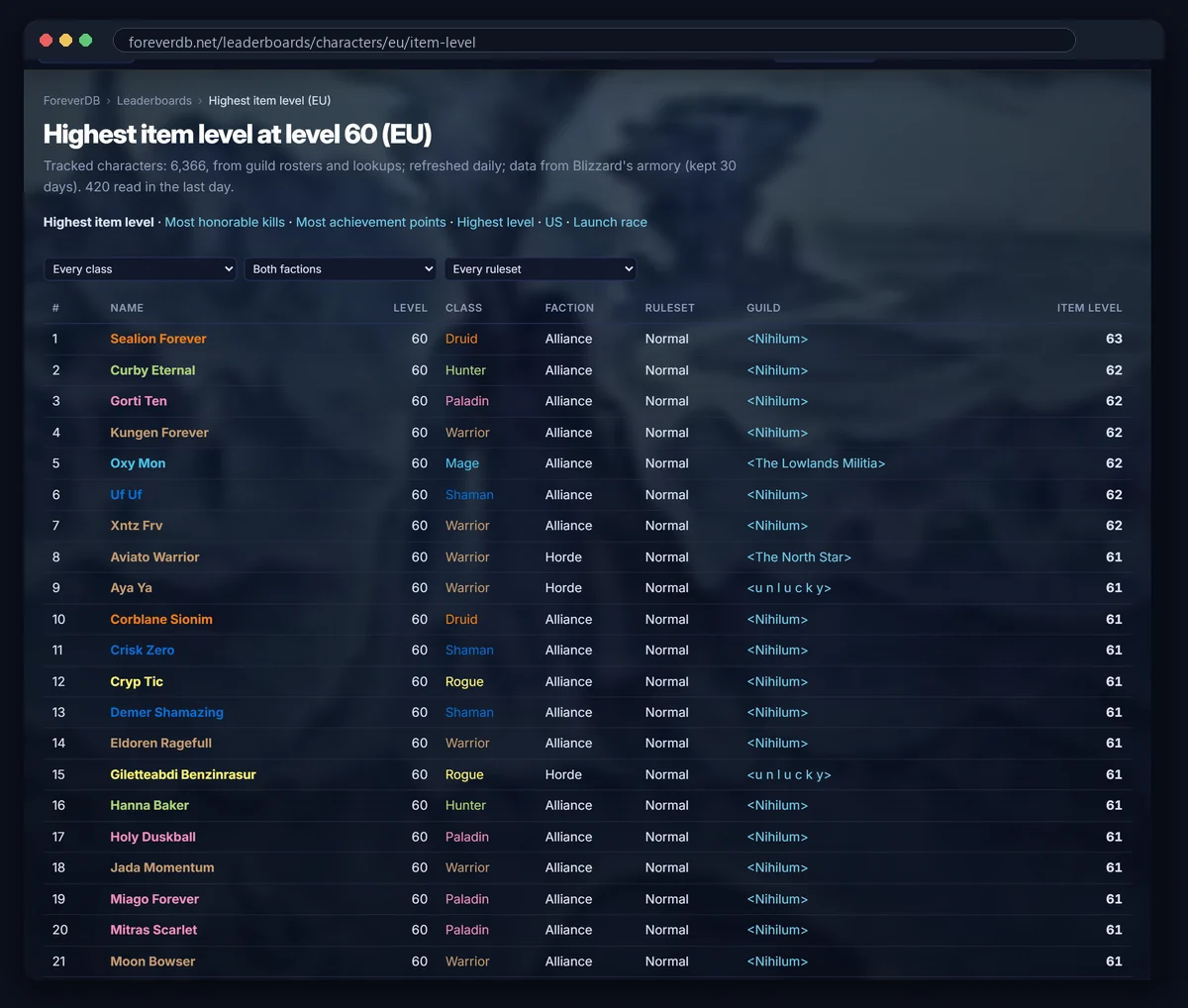
Leaderboards rank the characters ForeverDB tracks in each region by item level, honorable kills and level, and you can filter by class, faction and ruleset. The boards are built from guild rosters and armory look-ups and refreshed daily, so a character shows up once ForeverDB has read it. The item level board uses the level with the most characters read.
A page for every guild
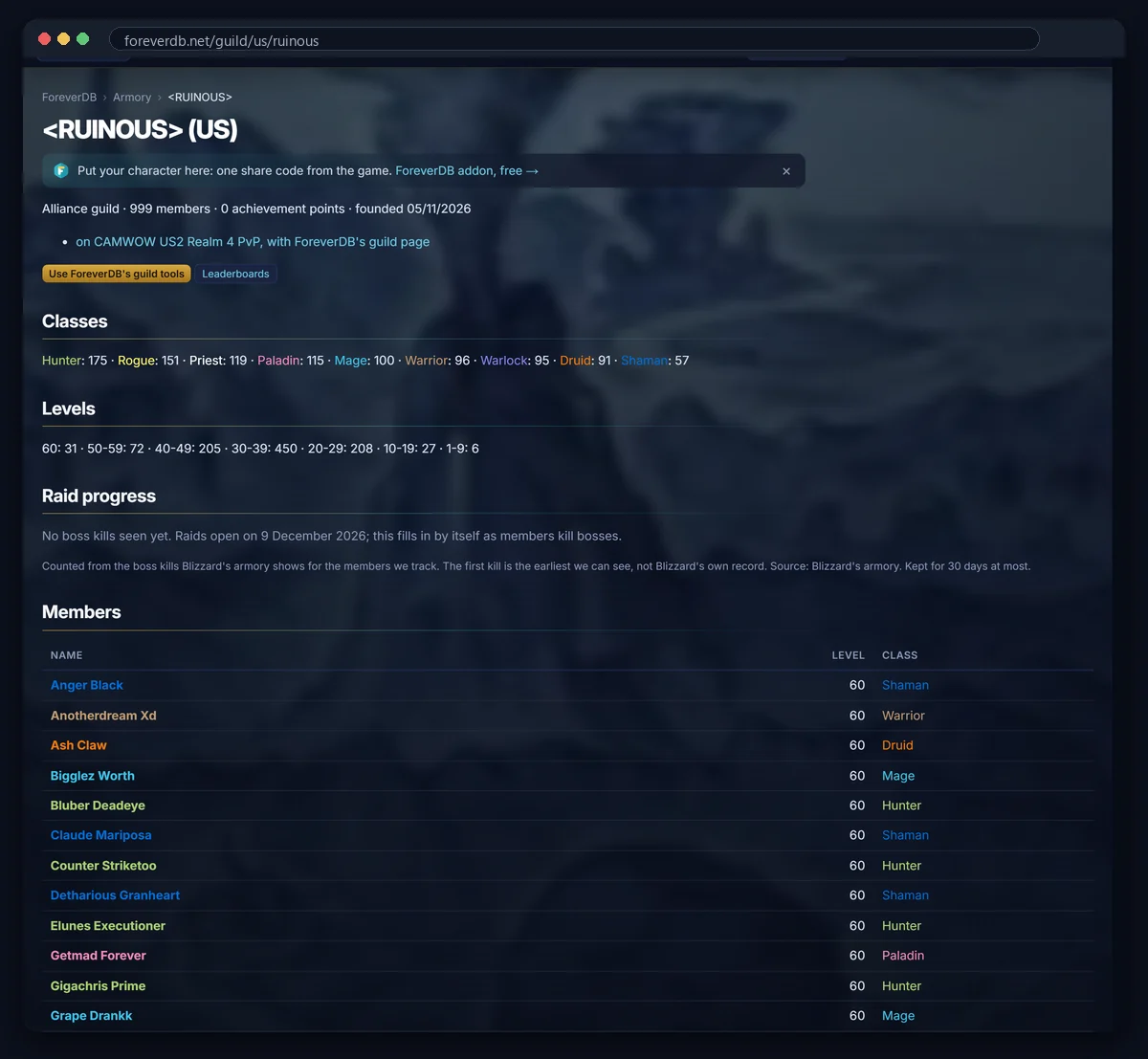
Every guild Blizzard knows has a page at /guild/region/name with its faction, member count, class and level mix and its roster. From 9 December, when raids open, it also shows the guild's raid progress, counted from the boss kills Blizzard's armory shows for its members. The first kill is the earliest we can see, not Blizzard's own record. Try Ruinous on US.
Guild tools used to trust what members uploaded. They now read the guild's roster on Blizzard's armory, with every member's rank, every two hours, and again at once when a member who isn't verified yet opens the tools. Uploads only fill in the people Blizzard doesn't list yet, and nobody becomes an officer on their word. Addon 0.75.1 also fixed a problem where logging out threw the guild roster away, and a lone officer's own upload now counts when the Guild Master isn't on ForeverDB.
Find a crafter
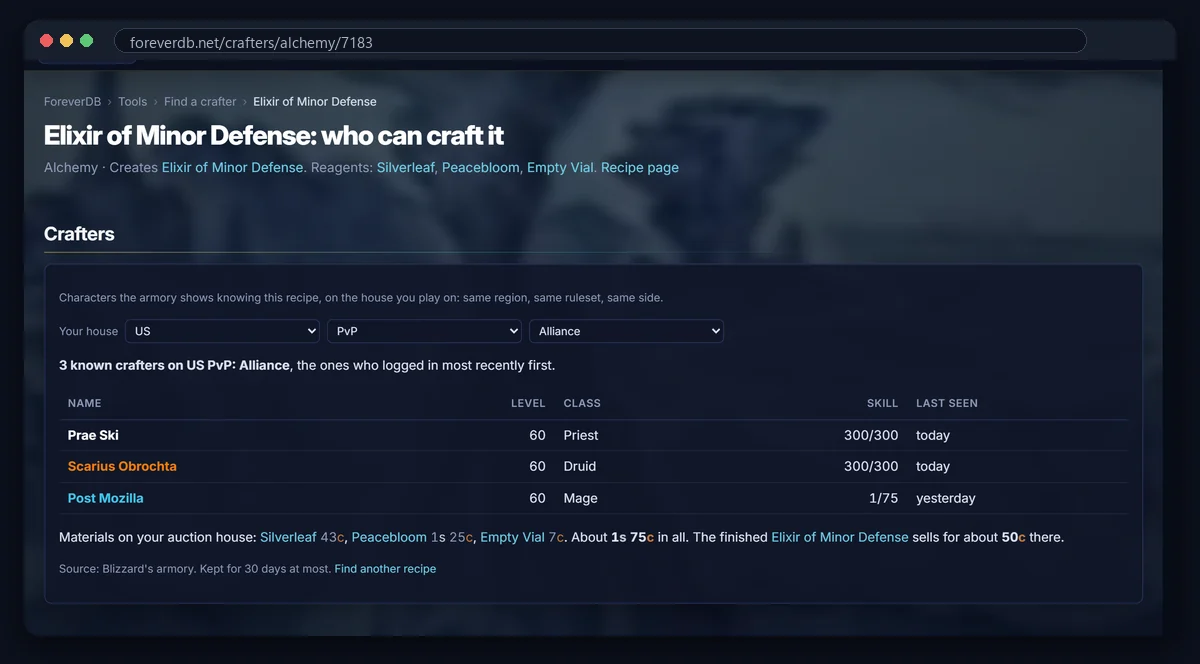
Find a crafter answers "who can make this?" Search a recipe and pick your house (region, ruleset and side), and you see the characters on it who know the recipe, who logged in most recently, and what the materials cost on your auction house. Only crafters you can actually trade with are shown, so there is nothing from the other side. Recipe and item pages carry the same Crafters box.
The rarest mounts, pets, toys and titles
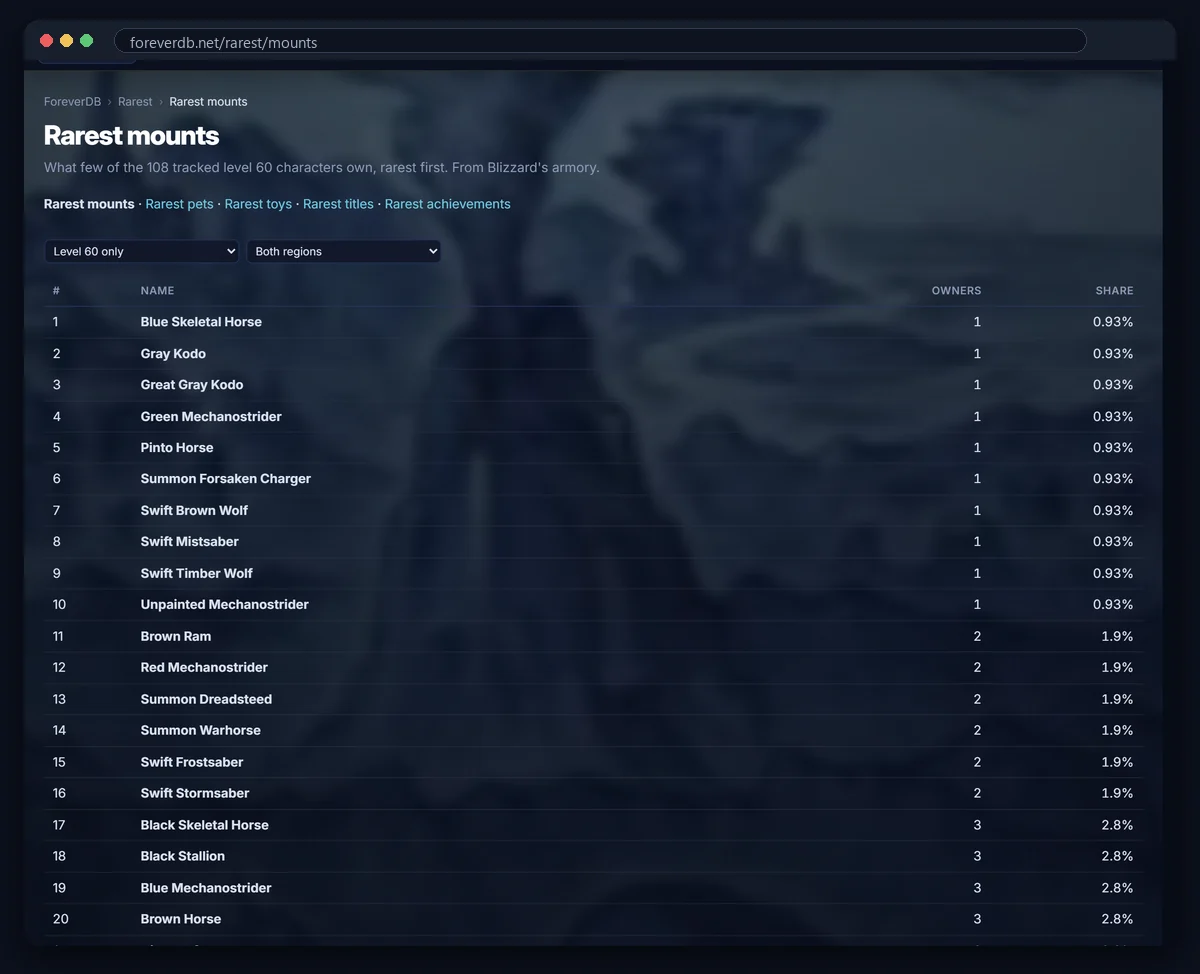
Rarest mounts, rarest pets, rarest toys and rarest titles show how few tracked characters own each one. Mount and title pages say how many characters own them too. The counts are small while the crawl is young, so treat an owner count of one as a first sighting, not a rarity ranking.
Population and quest shares
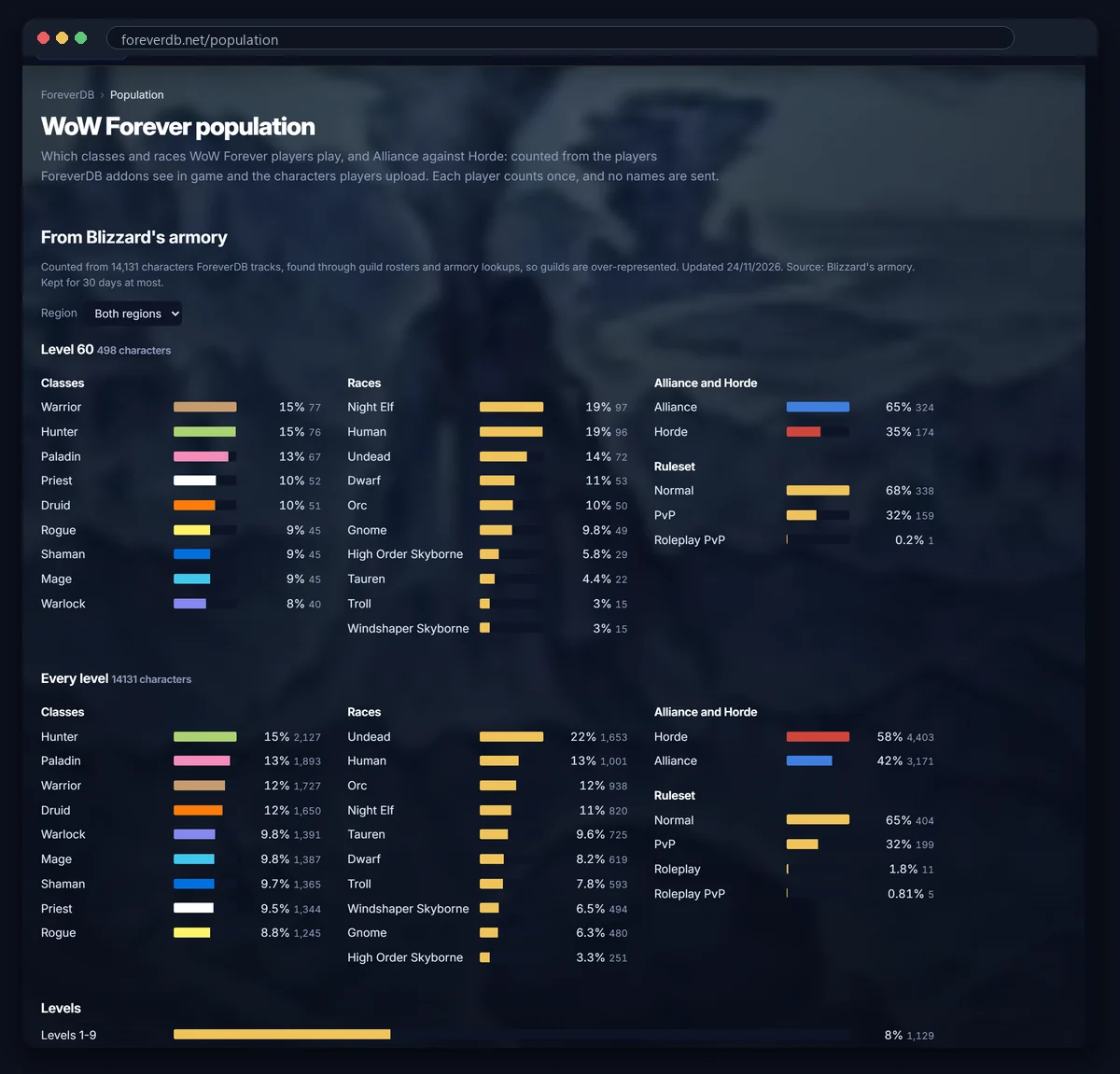
Population now has a section counted from Blizzard's armory next to the one from our addons: the most played classes and races, Alliance against Horde and the rulesets, for level 60 and for every level. Guilds are over-represented because we find characters through rosters, and the page says so. Quest pages also show what share of tracked characters have completed them.
Is that name taken?
The name generator has an "Is it taken?" button on its results. It asks Blizzard's armory whether a character with that name already exists in the region you pick, so you can drop the ones that are gone before you open the character screen.
Where this data comes from
Auction, armory and guild data comes from Blizzard Entertainment's Battle.net API. We keep none of it for more than 30 days, and hiding a character deletes what the armory gave us about it. How we verify and the privacy policy say the same in full. Blizzard's terms don't allow us to pass this data on, so it isn't in the ForeverDB API. If you build tools of your own, the developer page lists what we found in Blizzard's API for WoW Forever, such as the profile-forever and dynamic-forever namespaces and the four rulesets.
Get the addon and the Uploader The wishlist, your own auctions and the ledger need ForeverDB 0.76.0 and the Uploader 2.15.0. Get the ForeverDB addon
Sources
- WoW Forever auction house prices (ForeverDB)
- WoW Forever armory (ForeverDB)
- Blizzard Battle.net API
- How we verify (ForeverDB)